Before you start The customer needs farm fields set up, with Tillable Acres filled in for bushels per acre, and the field picked on each delivery. There’s nothing to turn on.
Open the field report
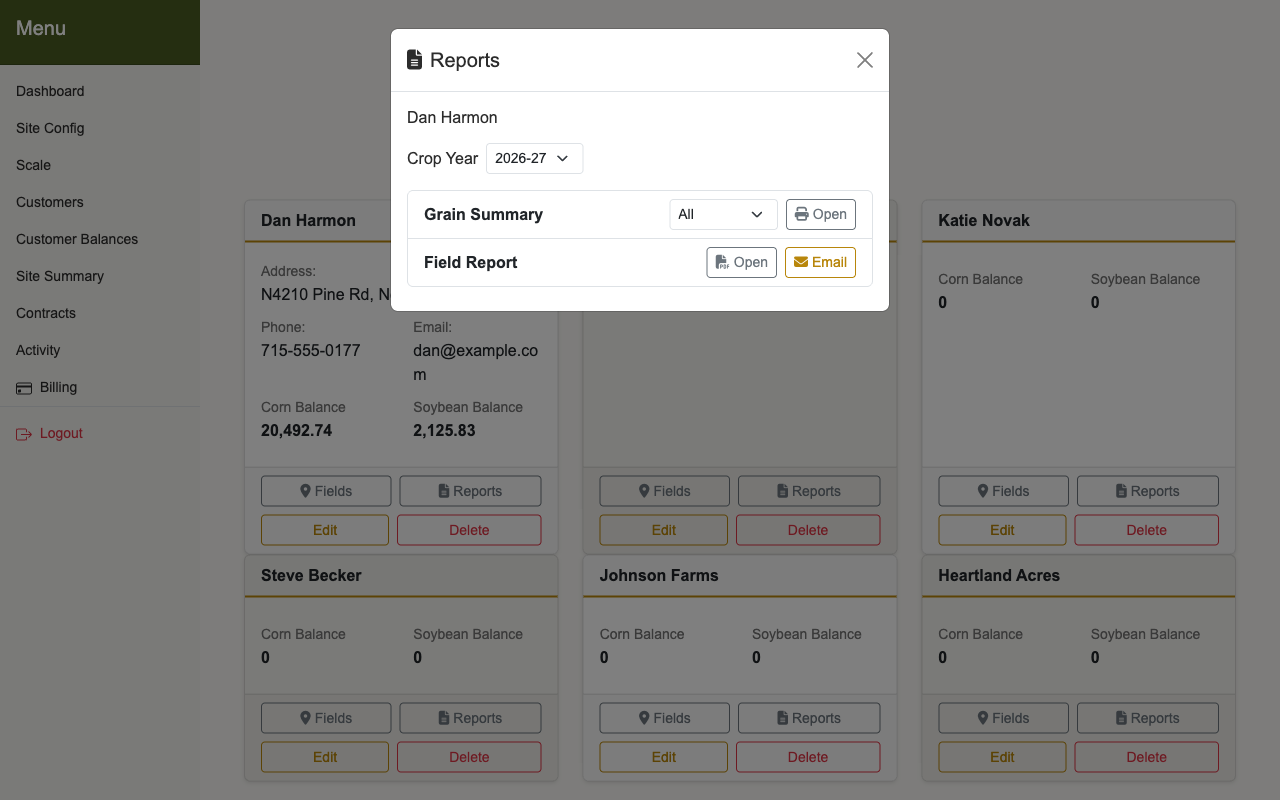
- Go to Customers or Customer Balances and click Reports on the customer’s card.
- Choose the Crop Year.
- Next to Field Report, click Open. The PDF opens in a new tab to print or save.
Email it to the customer
On the website version, if the customer has an email address on file, an Email button appears next to Field Report. Click it and confirm the address. Replies go to the Site Email in Site Config, which must be filled in.
What’s on it
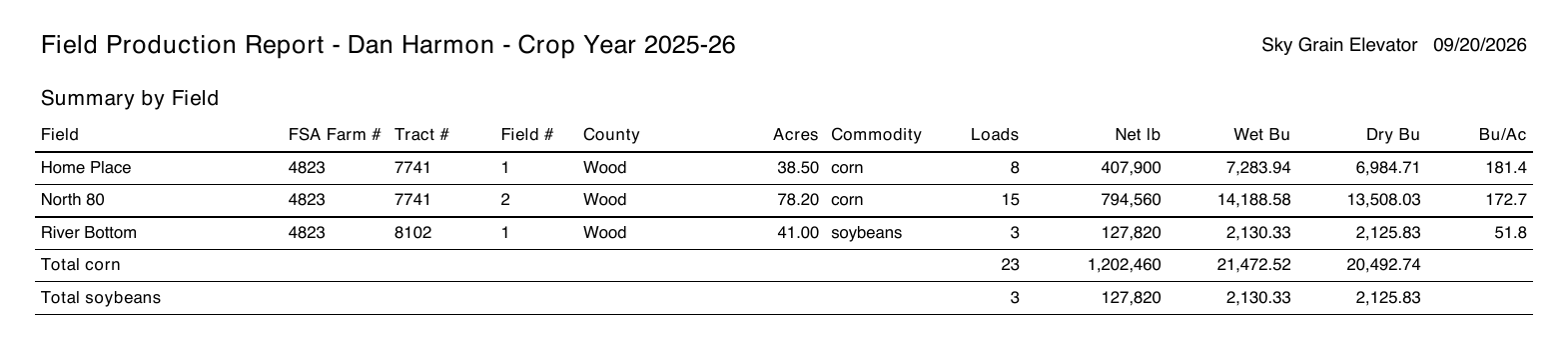
The first page, Summary by Field, has one line per field and commodity: FSA farm, tract, and field numbers, county, acres, loads, net pounds, wet and dry bushels, and bushels per acre, with totals for each commodity underneath.
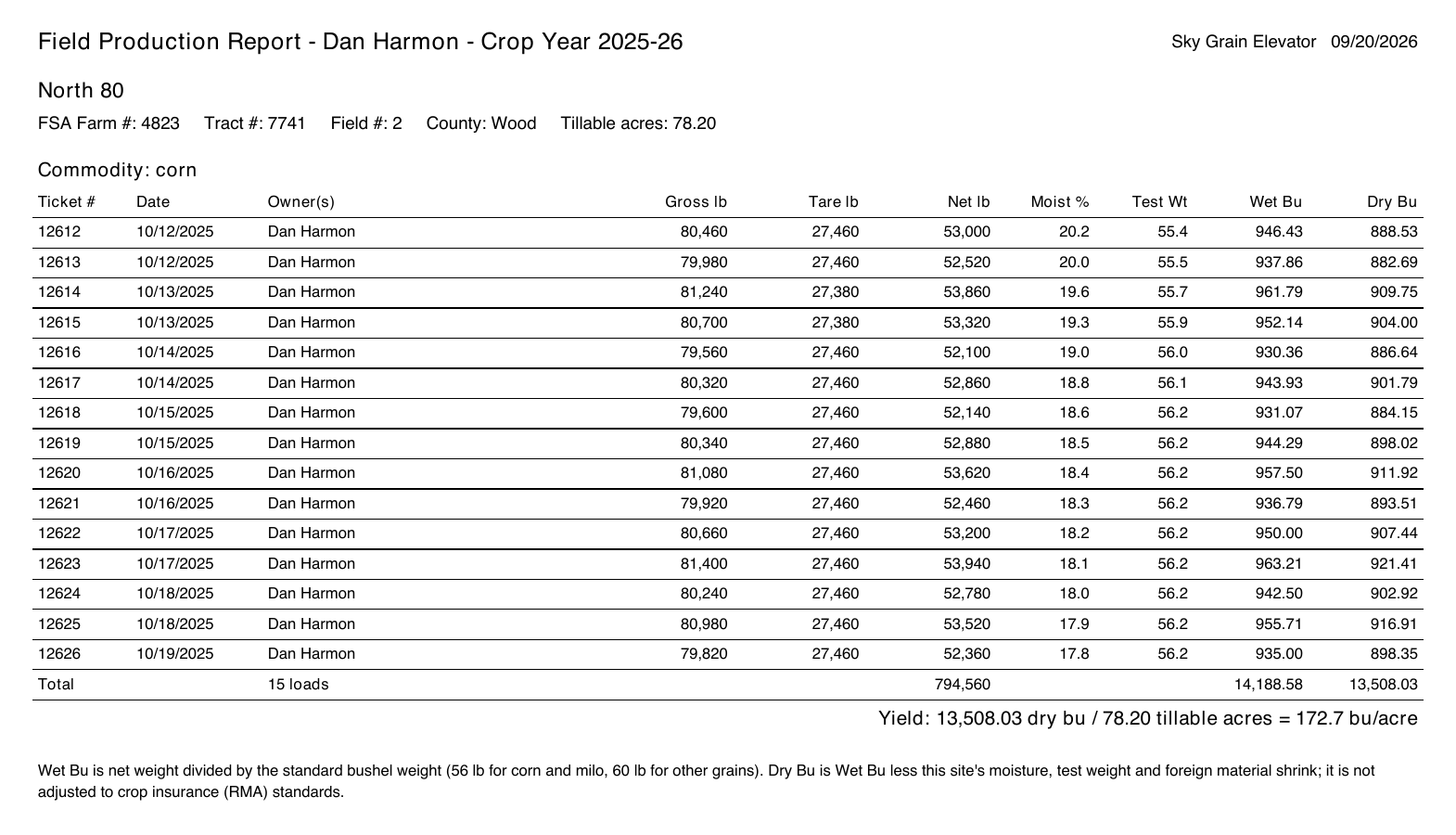
Each field then gets its own page listing every load: ticket number, date, owners, gross, tare, net, moisture, test weight, and wet and dry bushels. The yield line at the bottom shows the math: dry bushels divided by tillable acres.
What counts
- Closed loads only. A load still open on the scale isn’t included.
- Split loads count in full. A load shared with a landlord lists both owners and counts the whole load toward the field.
- Loads with no field are noted, not hidden. The summary page says how many of the customer’s loads aren’t on any field, with their bushels. They aren’t in the totals.
- Past crop years still work after the season-end cleanup.
- It isn’t a crop insurance form. Dry bushels use your site’s shrink, not crop insurance (RMA) standards, and the yield uses the tillable acres you entered for the field.
Common problems
- No bushels per acre for a field. The field has no Tillable Acres. Click Fields on the customer’s card, then Edit on the field, and add them.
- Loads missing from a field. They were saved without a field, or they’re still open. Pick the field with Edit on the scale page before you close the load. Closed loads need to be reopened first.
- No Email button. The customer has no email address on file, or you’re on the scale house terminal. Email is only on the website.